From job done to money in the bank
Everything you need to look professional and get paid — nothing you don't.
Look professional
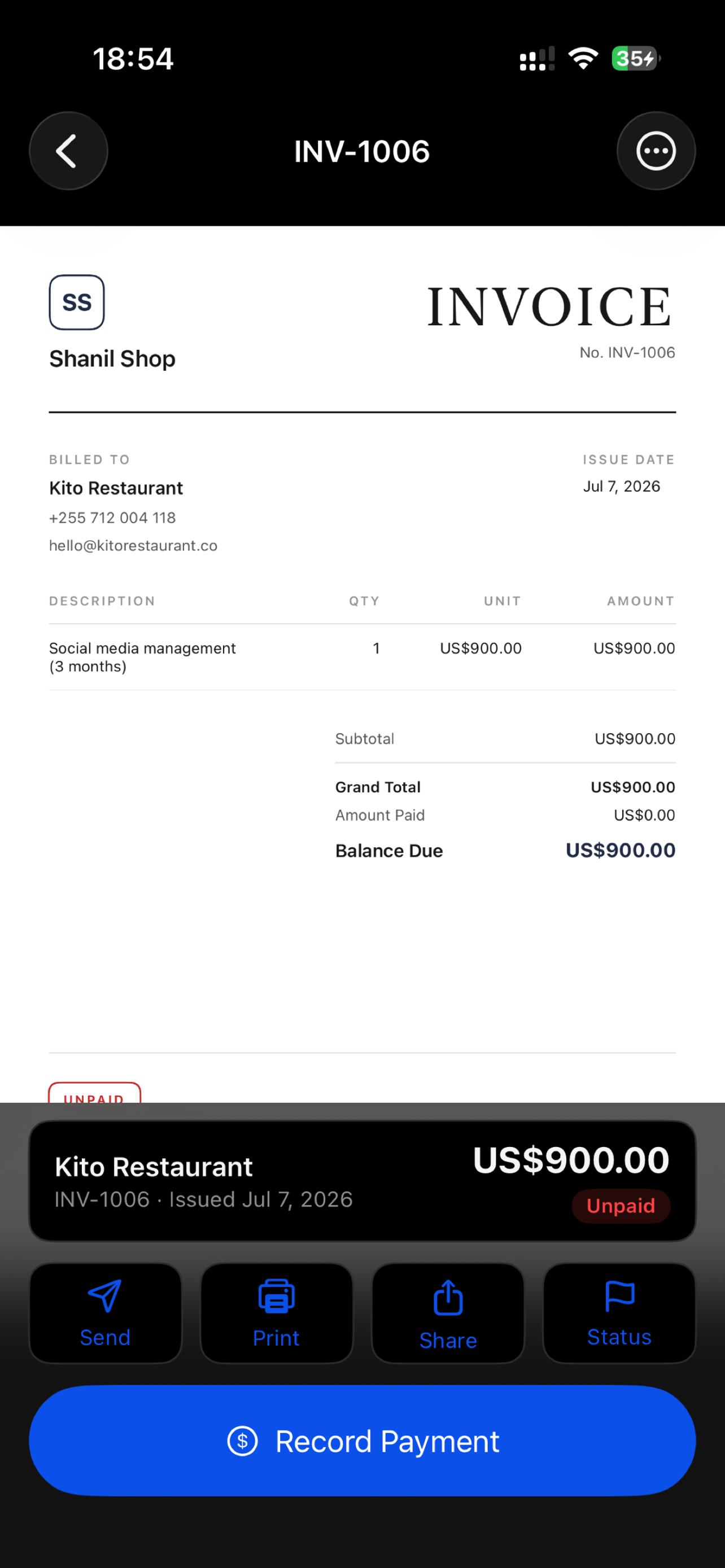
A branded invoice your clients take seriously
Pick a clean PDF template, drop in your logo and brand color, and every document instantly looks like it came from an established business.
- Professional PDF templates with your logo & brand color
- Add photos as proof of work, notes, and payment details
- Per-line tax with your own label — VAT, GST, sales tax
Win the job
Estimates that become invoices in one tap
Quote on the spot, right from the job site. When the client says yes, convert the estimate into an invoice with a single tap — no retyping.
- Send an estimate before you leave the driveway
- One-tap convert from accepted estimate to invoice
- Statuses for sent, accepted, paid, and overdue
Stay in control
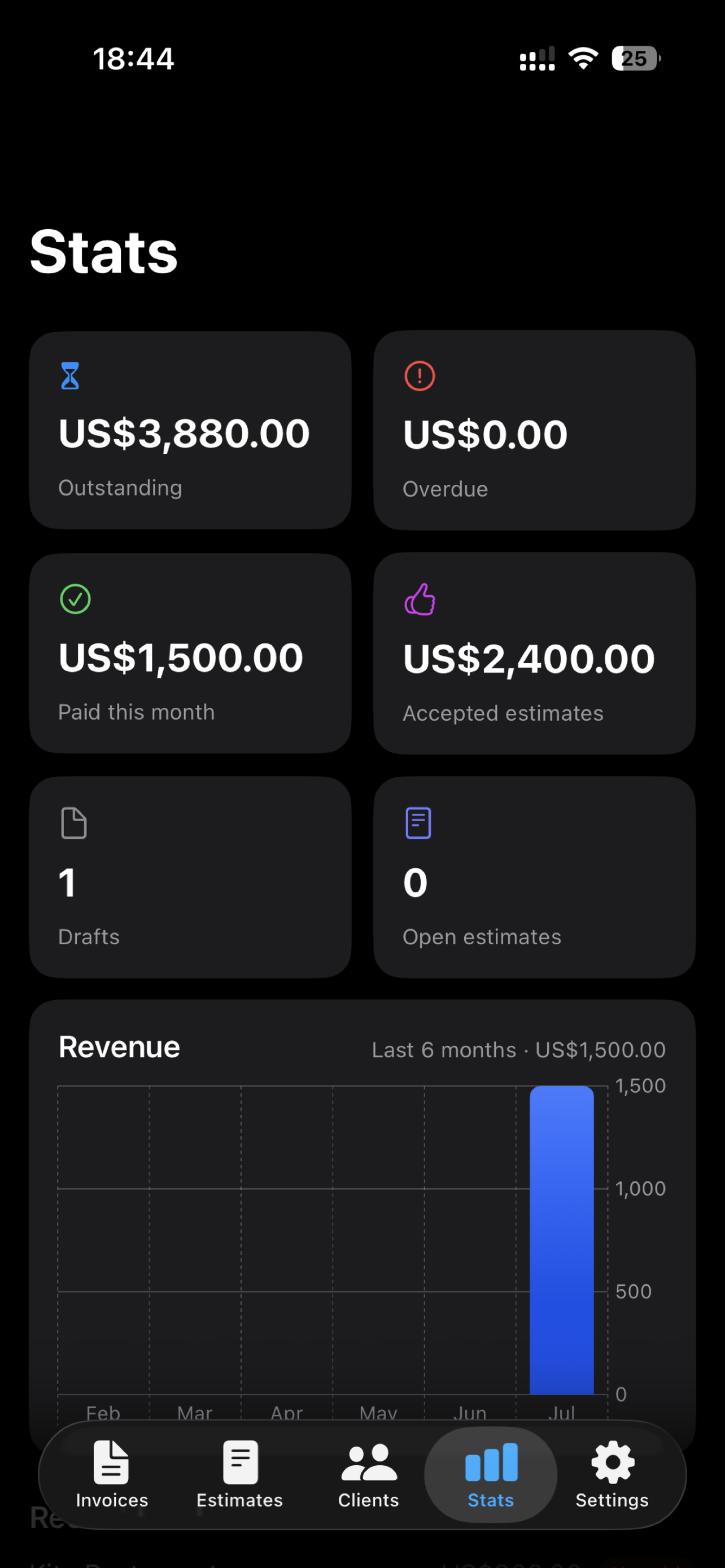
Know exactly what you're owed
See earnings and outstanding balances at a glance, chase what's overdue, and keep every client's details ready for the next job.
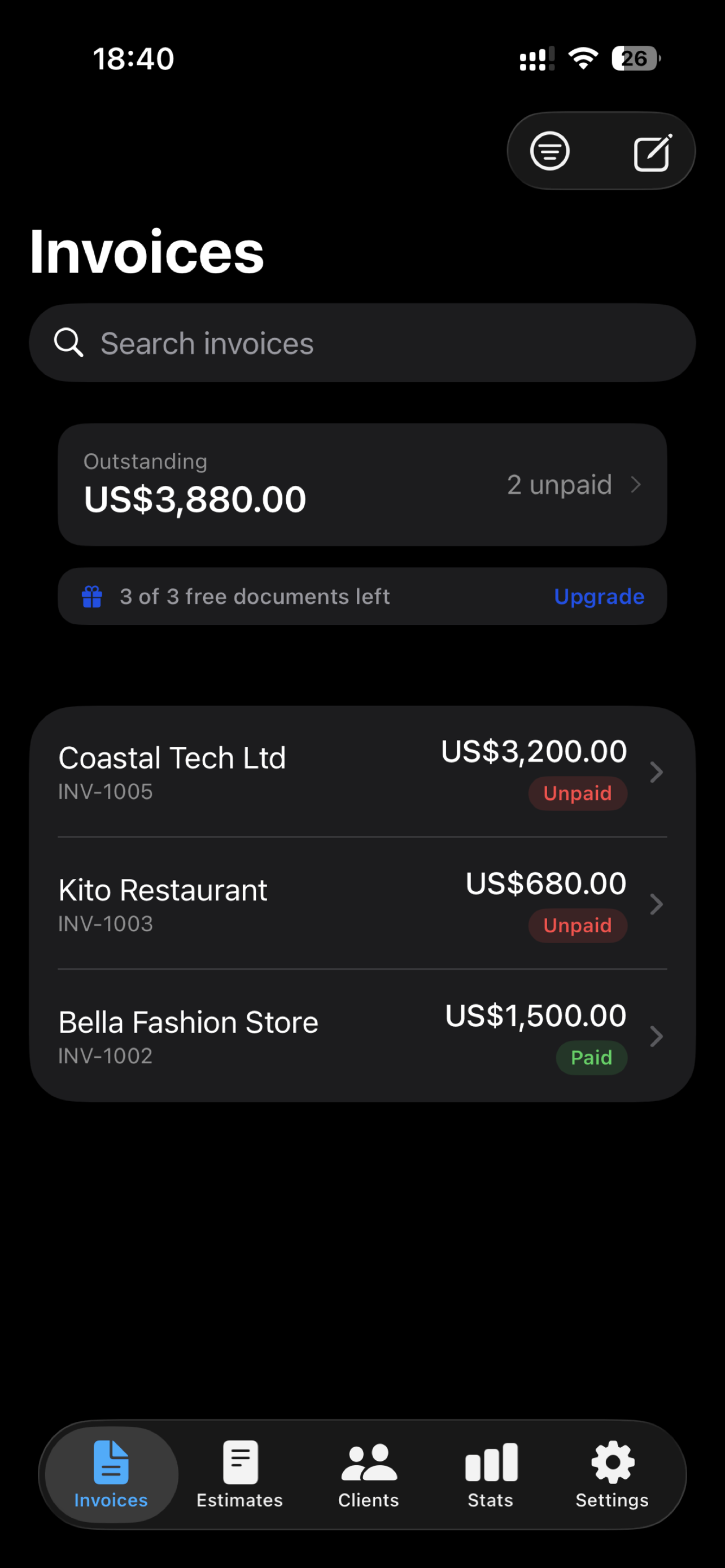
- Paid, unpaid, and overdue totals at a glance
- Clients and your reusable Rate Book in one place
- Backup & sync across devices — works offline too
Everything you need to get paid
Fast, professional, and built for trades, contractors, freelancers, and small service businesses.
Branded documents in seconds
Clean, professional PDF templates with your logo and brand color. Add line items, notes, and photos as proof of work.
Estimates that become invoices
Send an estimate, and when your client says yes, convert it into an invoice in a single tap.
Clients in one place
Keep every client organized and reuse their details on any new invoice or estimate.
Know what's owed
Mark documents sent, accepted, paid, or overdue and see what's outstanding at a glance.
Backup & sync
Sign in to securely back up and sync across your devices. Everything works offline, too.
Your data is yours
Export as PDF or CSV anytime. No lock-in, no holding your data hostage — ever.
From job done to paid — in three steps
No accounting degree required. If you can send a text, you can send a professional invoice.
Create in seconds
Add a client and line items — or pull them straight from your reusable Rate Book. Your invoice or estimate is ready in a few taps.
Make it yours
Drop in your logo, brand color, and payment details, then pick a clean, professional PDF template that looks the part.
Send & get paid
Share the PDF by text, email, or WhatsApp, then mark it paid — and see exactly what's outstanding at a glance.
Honest by design
Most invoice apps make their money from your money — payment cuts, sneaky trials, creeping prices. InvoiceFast charges one fair price and stays out of your way.
InvoiceFast never processes card payments or takes a cut. You share the invoice, your client pays you directly, and you mark it paid. Simple, honest, and yours to control.
Free invoicing tools
Use these right now in your browser — no account, no email, nothing stored.
Honest pricing
Start free. Upgrade only if InvoiceFast is earning its keep. Cancel anytime in your App Store settings.
Free
- Your first 3 invoices or estimates
- Every template & branding feature
- Clients, Rate Book, backup & sync
- No card, no trial countdown
Pro — Yearly
- Unlimited invoices & estimates
- Everything in Free
- One coffee a month, not per week
- Cancel anytime — keep your data
Pro — Weekly
- Unlimited invoices & estimates
- Everything in Free
- Great for a busy season
- Cancel anytime — keep your data
Frequently asked questions
Is InvoiceFast really free?+
Yes. Create your first 3 invoices or estimates free — no credit card, no trial countdown. After that, InvoiceFast Pro unlocks unlimited documents.
Do I need a subscription?+
Only if you want unlimited documents. The free tier never expires, and Pro is a simple $4.99/week or $39.99/year — cancel anytime in your App Store settings.
Does it work offline?+
Yes — InvoiceFast works fully offline, so you can invoice from the job site with no signal. Sign in and your invoices, estimates, and clients back up and sync across your devices automatically.
Do my clients need the app?+
No. Your client just receives a normal PDF invoice or estimate by text, email, or any app you share it with. Nothing to install, no account for them to create.
Can I export my data?+
Always. Export your invoices and clients as PDF or CSV anytime. No lock-in, and no holding your data hostage — ever.
Can I use my own currency and taxes?+
Yes. Set your currency, tax rate, and tax label (VAT, GST, sales tax, and more). Tax is applied per line item.
Is my data private?+
Yes. Your data is encrypted in transit, never sold, and never used for ads. You can delete your account and all your data at any time.
Is InvoiceFast available on Android?+
InvoiceFast is available for iPhone today. An Android version is in the works — email hello@invoicefastpro.com and we'll let you know the moment it lands.
Who is InvoiceFast for?+
Freelancers, tradespeople, contractors, and small service businesses who want to send professional invoices and estimates fast — right from their phone.
Invoicing guides
Free, practical advice on invoicing and getting paid on time.
What to Include on an Invoice: 12 Essentials
A plain-English checklist of what to put on an invoice — the 12 elements every bill needs to look credible, avoid disputes and get paid on time.
Invoicing for Tradespeople & Contractors
A no-nonsense invoicing guide for plumbers, electricians, builders and contractors — how to quote jobs, invoice on site, and get paid without chasing.
Invoicing for Freelancers: Complete Guide
Everything freelancers need to know about invoicing — what to include, how to set payment terms that protect your cash flow, and how to get paid on time.
Send your first invoice in the next two minutes
Download InvoiceFast free, create a branded invoice or estimate, and see how professional your business can look. No card, no countdown.
 Scan with your iPhone camera